One webcam. One browser tab. No suit, no depth camera, no gloves. This is the finished build of Avatar Talk: a webcam drives an avatar’s arms, head, face, fingers and wrists, entirely client-side — the video never leaves the machine. Four episodes got us here (landmarks → avatar → retargeting → face + hands), and this last stretch was all bugs — and being honest with the numbers. Code is on GitHub.
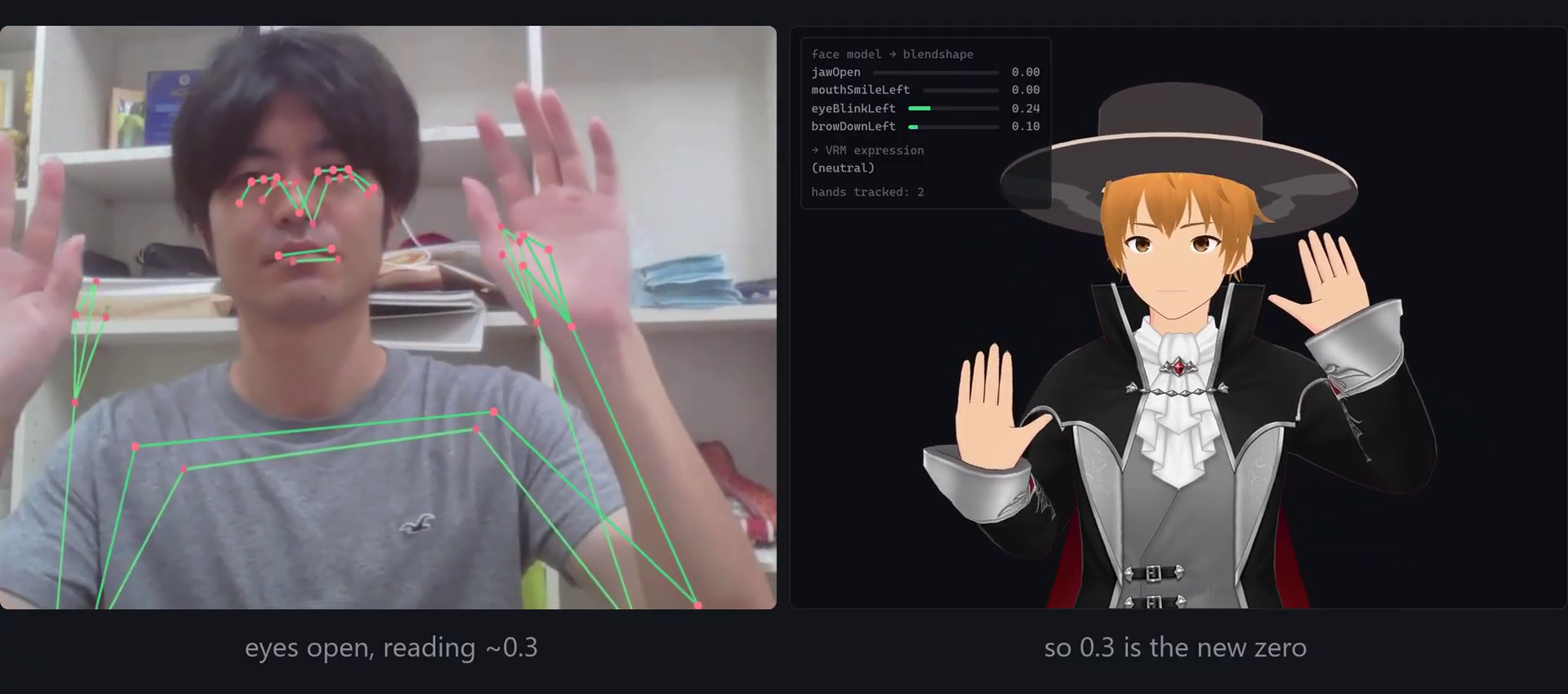
Table of Contents
One webcam, one tab — the finished build
Four episodes ago this was an empty page. Now three MediaPipe models — pose, face and hands — read a single webcam and drive one VRM avatar in a single browser render loop: arms and head from the body model, 52 blendshapes from the face model, and 21 points per hand from the hand model, folded together every frame. Nothing is installed, nothing is uploaded, and there’s no special hardware. This post is the walk through the last stretch — the wrist, the thumb, the eyes, the mirror — and an honest look at what it actually costs to run.
The wrist an arm solve can’t reach
Start with the wrist, because it exposes something about the whole approach. An arm solve takes the direction from shoulder to elbow, and elbow to wrist — but a direction carries no roll. Turn your palm over without moving your hand through space and every one of those vectors is unchanged, so no amount of arm maths will ever rotate the wrist. The hand has to tell you itself. Two vectors across the palm — along the fingers and across the knuckles — pin its orientation completely, and the rotation that carries the rest pose’s pair onto the measured pair is the wrist. Part of it is handed back to the forearm, because turning your palm to face forward is mostly the radius crossing the ulna, not the joint at your hand.
// Two vectors define the palm: along the fingers, across the knuckles.
const wrist  = toAvatarSpace(lm[WRIST], a, 1);
const middle = toAvatarSpace(lm[MIDDLE_MCP], b, 1);
forward.subVectors(middle, wrist).normalize();          // along the fingers

const index = toAvatarSpace(lm[INDEX_MCP], b, 1);
const pinky = toAvatarSpace(lm[PINKY_MCP], c, 1);
across.subVectors(pinky, index).normalize();            // across the knuckles

// Rotation that carries the rest-pose basis onto the measured one = the wrist.
basisMatrix(forward, across, measured, scratch);
target.copy(qMeasured).multiply(qRest.invert());
// Back out the arm's own rotation so what's left lives on the hand bone.
chainWorldQuaternion(vrm, FOREARM_CHAINS[side], parent);
target.premultiply(parent.invert());
The thumb that looked dead
The thumb looked completely dead. It was not — its bones were getting a quarter of a radian every frame, about the wrong axis. The four fingers lie along the hand, so they hinge one way; the thumb rests diagonally across the palm, and rotating it the same way splays it sideways instead of folding it in. The fix is to stop assuming the axis and read it from the rig: for each bone, the direction to its child tells you which way it actually bends, so the thumb gets its own hinge for free.
// Derive each finger bone's real hinge from the rig, not an assumption.
// The next bone's local offset is this bone's direction; crossing it with
// "palm up" gives the axis that folds it toward the palm.
const dir  = next.position.clone().normalize();
const axis = new THREE.Vector3().crossVectors(PALM_UP, dir);
if (axis.lengthSq() > 1e-8) this.curlAxes.set(bone, axis.normalize());
// Fingers lie along ±x so they hinge about z; the thumb, sitting diagonally,
// gets a different axis here — which is exactly why it now folds in, not out.
Frame-perfect timing — cache and count
The camera and the render loop don’t tick together, and MediaPipe refuses a repeated timestamp — feed it one and the graph errors for the rest of the session. So each tracker does two small, honest things. When the video has no new frame, it re-serves its last result, so the One Euro easing keeps running smoothly between camera frames instead of stuttering. And when inference actually throws, it counts a dropped frame rather than crashing — degraded tracking is a number you can read, not a dead tab.
/** Returns the previous result between camera frames so easing continues. */
update(): HandStream[] {
  if (!this.landmarker || this.video.videoWidth === 0) return [];
  if (this.video.currentTime === this.lastVideoTime) return this.last;  // re-serve
  this.lastVideoTime = this.video.currentTime;

  // Force the timestamp strictly forward: a repeat is fatal to the graph.
  const timestamp = Math.max(this.lastTimestamp + 1, Math.round(performance.now()));
  this.lastTimestamp = timestamp;

  try {
    const result = this.landmarker.detectForVideo(this.video, timestamp);
    this.last = result.landmarks.map(/* … handedness + world … */);
    return this.last;
  } catch {
    this.droppedFrames++;   // count it, don't crash
    return [];
  }
}
The neutral face: 0.3 is the new zero
The avatar sat permanently half-lidded, and the reason is a small truth about the face model: a real, wide-open eye does not report zero. It idles around a third — an eyeBlink of 0.1–0.3 — and that was being applied straight as a third of a blink. Mouth corners are never quite at zero either. So every expression is rebased from its resting score before any gain: subtract the floor, rescale the remainder back to 0..1, and a relaxed face reads as neutral. 0.3 becomes the new zero, and only movement above it counts.
// floor = the score a resting face already produces. Rebase, then rescale
// so the remaining range still spans 0..1 before gain is applied.
const raw = sum / n;
let value = ((raw - floor) / (1 - floor)) * gain;
if (name.startsWith("blink")) value -= squint * 0.8;  // smiling raises cheeks → false blinks
value = Math.min(1, Math.max(0, value));
// e.g. blink: floor 0.4 — an open eye reading 0.3 now clamps to a clean 0.
It’s a mirror — every swap is deliberate
Closing one eye closed the other one. MediaPipe’s left eye is your left eye; VRM’s left eye is the avatar’s left eye. Map them straight across and it’s anatomically perfect and visibly wrong — because the avatar is facing you. That’s the rule the whole app runs on: it is a mirror. Your right arm drives its left, your right hand drives its left, and your left eye has to close the eye on the same side of the screen. Every one of those is a deliberate swap; the eyes were the one place I’d forgotten it.
// Hands, like the arms: the person's Right hand drives the avatar's left,
// so the whole avatar behaves like a reflection.
for (const hand of hands) {
  this.poseHand(hand, hand.handedness === "Right" ? "left" : "right", dt);
}

// And the blinks, swapped the same way — mapping eye-to-eye winks the wrong one:
{ vrm: "blinkLeft",  from: ["eyeBlinkRight"], gain: 1.15, floor: 0.4 },
{ vrm: "blinkRight", from: ["eyeBlinkLeft"],  gain: 1.15, floor: 0.4 },
Being honest with the numbers
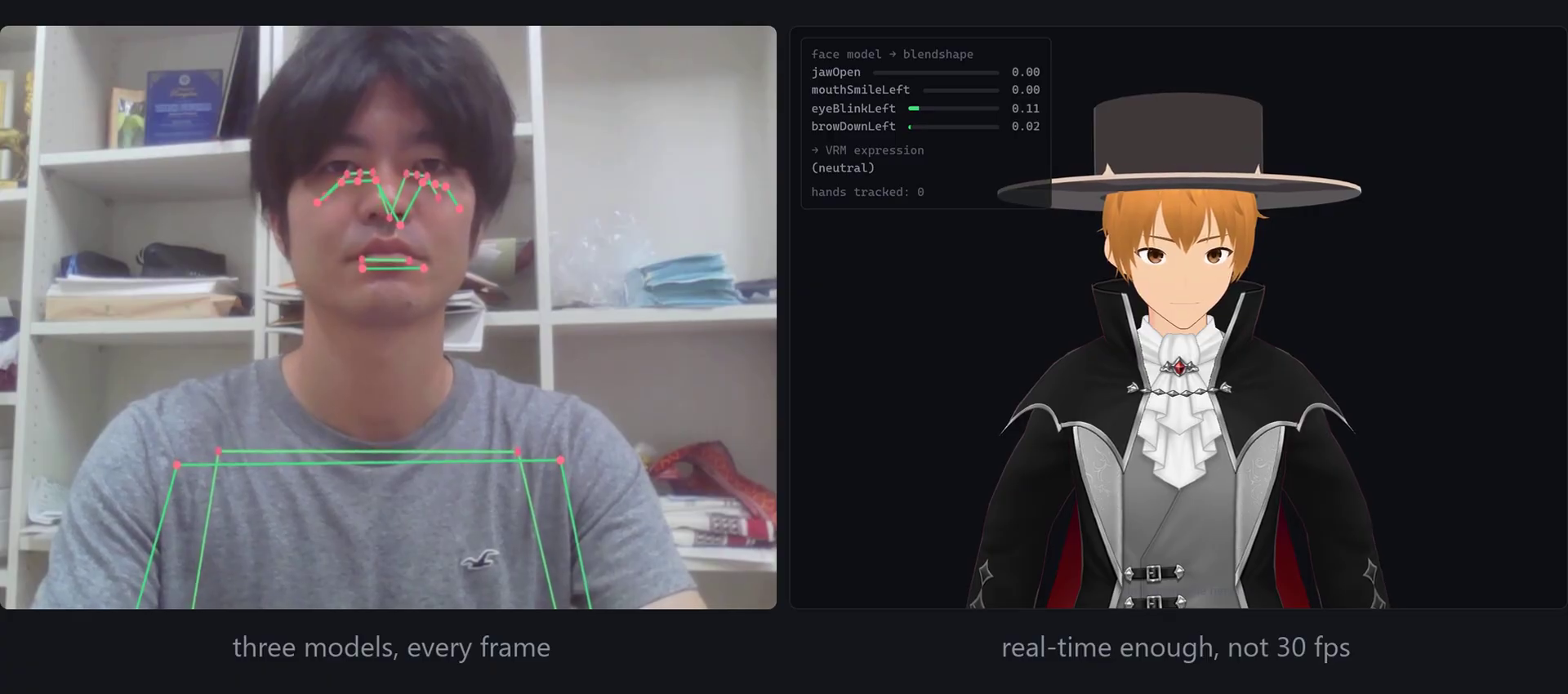
Now the honest part. An earlier episode said this holds 30 frames a second. I had never measured it. When I did, it was about nine — three neural networks, every frame, in a browser tab. One Euro filtering on the landmarks takes roughly a quarter of the shake out — measured, not eyeballed. It is real-time enough to use, and nowhere near as fast as I’d claimed. It still can’t twist a forearm without the hand, the depth is a guess, and the legs were never invited. But it works, in a tab, from one camera — and now the frame budget is a thing I watch rather than assume.
Frequently asked questions
Why can’t an arm solve rotate the wrist?
Because an arm solve only knows directions — shoulder-to-elbow, elbow-to-wrist — and a direction has no roll. Rotating your palm without moving your hand leaves all of those vectors unchanged, so the roll is invisible to it. You have to read the hand’s own orientation: two vectors across the palm (along the fingers, across the knuckles) fix it completely, and the rotation onto the rest pose is the wrist.
Why did the thumb barely move?
It was being folded about the wrong axis. The four fingers lie along the hand and hinge one way, but the thumb sits diagonally across the palm, so rotating it the same way splays it sideways instead of curling it in. Reading each bone’s hinge from the rig — the direction to its child bone — gives the thumb its own correct axis and it starts tracking.
Does browser webcam mocap really run at 30 fps?
Not here, honestly. Running pose, face and hands together — three MediaPipe models on every frame in one browser tab — measured about 9 fps on this machine, not the 30 I’d claimed earlier. One Euro filtering removes roughly a quarter of the remaining jitter. It’s real-time enough to be usable, but three networks per frame is a real cost worth measuring rather than assuming.
The whole series, tag by tag
A webcam, a browser tab, and an avatar that moves, looks and gestures like you — no suit, no depth camera, nothing leaving your machine. Every episode is a git tag, so you can check out any stage and run it. The series runs Part 1: browser motion capture → Part 2: loading a VRM avatar → Part 3: retargeting → Part 4: face, hands & filtering → this finished build. Full code on GitHub.
Takashi Fukushima — Sports Science & Pose Estimation.
▶ Subscribe on YouTube · GitHub · Website · Contact