Real-time motion capture, running entirely in the browser — no install, no server, about 200 lines of TypeScript. This is Part 1 of Avatar Talk: a webcam feed, a transparent canvas layered on top, and Google’s MediaPipe PoseLandmarker drawing a live upper-body skeleton. This post walks through the whole thing, file by file, with the two non-obvious gotchas that make it actually work. The full code is on GitHub (Phase 1 tagged).
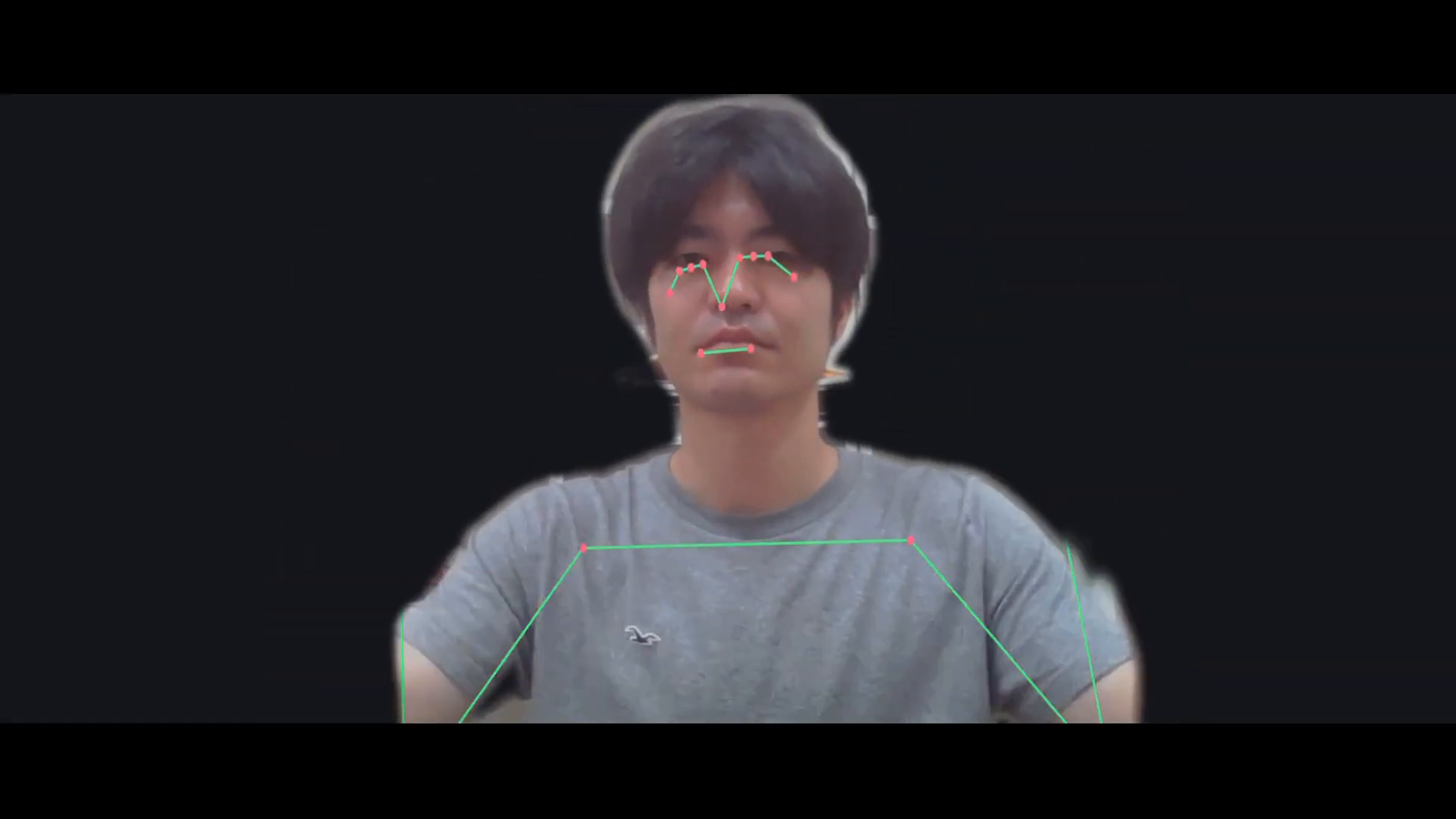
Table of Contents
What we’re building
The entire Phase 1 codebase is three files, about 200 lines: an index.html, a style.css, and a main.ts. The idea is simple — a <video> element shows the webcam, and a transparent <canvas> sits pixel-perfect on top. Video below, skeleton drawn above. MediaPipe does the pose estimation; the canvas just draws dots and lines.
The HTML: two layers, pixel-perfect
The whole interface is a #stage containing the webcam video, the overlay canvas, and a status message. A tiny HUD shows the FPS and a mirror toggle.
<main>
  <h1>Avatar Talk <span class="phase">phase 1 — pose landmarks</span></h1>
  <div id="stage">
    <video id="webcam" autoplay playsinline muted></video>
    <canvas id="overlay"></canvas>
    <div id="status">Loading pose model…</div>
  </div>
  <div id="hud">
    <span id="fps">— fps</span>
    <label><input type="checkbox" id="mirror" checked /> mirror</label>
  </div>
</main>
<script type="module" src="/src/main.ts"></script>
The CSS: absolute layering and mirror mode
The stylesheet is what makes the layering work. Both the video and the canvas get absolute positioning inside the stage, so they align pixel-perfect. And mirror mode — so moving your right hand moves the skeleton’s right hand — is a single scaleX(-1) transform applied to both layers at once. No coordinate math anywhere.
#stage {
  position: relative;
  width: min(90vw, 960px);
  aspect-ratio: 4 / 3;
  overflow: hidden;
}

#webcam,
#overlay {
  position: absolute;
  inset: 0;
  width: 100%;
  height: 100%;
}

#webcam { object-fit: cover; }

/* mirror both layers together — no coordinate flipping in JS */
#stage.mirrored #webcam,
#stage.mirrored #overlay {
  transform: scaleX(-1);
}
MediaPipe: 33 landmarks, keep 25
Now the brain. MediaPipe’s pose model returns 33 landmarks per frame. Legs (indices 25–32) are unreliable from a desk webcam, so we keep only the first 25 — face, torso and arms — and never draw the rest. The connection list is a hand-picked set of landmark-index pairs that decides which dots get a bone drawn between them.
// Upper body only: landmarks 0–24 (face, arms, torso).
const UPPER_BODY_CUTOFF = 25;

// Which landmark pairs get a bone drawn between them.
const UPPER_BODY_CONNECTIONS: [number, number][] = [
  // face outline
  [0, 1], [1, 2], [2, 3], [3, 7], [0, 4], [4, 5], [5, 6], [6, 8], [9, 10],
  // torso
  [11, 12], [11, 23], [12, 24], [23, 24],
  // left arm + hand
  [11, 13], [13, 15], [15, 17], [15, 19], [15, 21], [17, 19],
  // right arm + hand
  [12, 14], [14, 16], [16, 18], [16, 20], [16, 22], [18, 20],
];

const MIN_VISIBILITY = 0.5;
Loading the model: light, GPU, video mode
Loading the model takes two steps: fetch the WebAssembly runtime, then create the landmarker. Three choices matter here. The light model variant keeps it fast; the GPU delegate is the difference between 30 fps and a slideshow; and video mode (rather than image mode) enables temporal smoothing across frames.
import { FilesetResolver, PoseLandmarker } from "@mediapipe/tasks-vision";

async function createLandmarker(): Promise<PoseLandmarker> {
  const vision = await FilesetResolver.forVisionTasks(
    "https://cdn.jsdelivr.net/npm/@mediapipe/tasks-vision@0.10.14/wasm"
  );
  return PoseLandmarker.createFromOptions(vision, {
    baseOptions: {
      modelAssetPath:
        "https://storage.googleapis.com/mediapipe-models/pose_landmarker/" +
        "pose_landmarker_lite/float16/1/pose_landmarker_lite.task",
      delegate: "GPU",       // 30 fps vs a slideshow
    },
    runningMode: "VIDEO",    // smoothing across frames
    numPoses: 1,
  });
}
The two gotchas that make it work
Gotcha 1: the visibility threshold (the ghost arm)
Every landmark carries a visibility score. If you draw them all unconditionally, then the moment your hand leaves the frame MediaPipe keeps guessing its position and a “ghost arm” flails at the edge of the screen. The fix is one line: skip any landmark below 0.5, for both the bones and the dots.
ctx.strokeStyle = "#4ade80";
for (const [a, b] of UPPER_BODY_CONNECTIONS) {
  const la = landmarks[a];
  const lb = landmarks[b];
  if ((la.visibility ?? 1) < MIN_VISIBILITY) continue;   // skip ghost limbs
  if ((lb.visibility ?? 1) < MIN_VISIBILITY) continue;
  ctx.beginPath();
  ctx.moveTo(la.x * w, la.y * h);
  ctx.lineTo(lb.x * w, lb.y * h);
  ctx.stroke();
}
Gotcha 2: canvas resolution (and skipping duplicate frames)
The canvas’s internal resolution must match the video’s native resolution, or the normalized landmark coordinates won’t line up with the pixels underneath and the skeleton drifts off your body. And because the display refreshes faster than the webcam delivers frames, we only run inference when the video actually has a new frame — free CPU savings.
function renderLoop(): void {
  if (!landmarker) return;

  // Canvas resolution must equal the video's intrinsic resolution.
  if (canvas.width !== video.videoWidth ||
      canvas.height !== video.videoHeight) {
    canvas.width = video.videoWidth;
    canvas.height = video.videoHeight;
  }

  // Only run inference when the video has a new frame.
  if (video.currentTime !== lastVideoTime) {
    lastVideoTime = video.currentTime;
    const result = landmarker.detectForVideo(video, performance.now());
    ctx.clearRect(0, 0, canvas.width, canvas.height);
    if (result.landmarks.length > 0) drawLandmarks(result.landmarks[0]);
  }

  requestAnimationFrame(renderLoop);
}
Frequently asked questions
Can you really do motion capture in a browser with no install?
Yes. MediaPipe ships a WebAssembly runtime and a small pose model that both load from a CDN, so a plain webpage with a webcam and a canvas is enough. There is no server and nothing to install — the inference runs on the user’s own GPU via the browser.
Why keep only 25 of the 33 landmarks?
Because a seated desk webcam usually can’t see your legs, so landmarks 25–32 jitter and mislead. Keeping the first 25 — face, torso and arms — gives a stable upper-body skeleton, which is all an upper-body avatar needs.
Why does the skeleton drift off my body?
Almost always a canvas-resolution mismatch. MediaPipe returns normalized (0–1) coordinates, so the overlay canvas’s width/height must equal the video’s videoWidth/videoHeight; otherwise the points scale to the wrong pixels. Set them in the render loop, as above.
What’s next — Part 2
That’s Phase 1: a live upper-body skeleton in about 200 lines, running in the browser. The full code is on GitHub, with Phase 1 tagged in git. In Part 2 we load a 3D VRM avatar and make this skeleton drive its bones. For the bigger picture of how pose estimation performs, see our breakdown of pose estimation accuracy across six models.
Takashi Fukushima — Sports Science & Pose Estimation.
▶ Subscribe on YouTube · GitHub · Website · Contact