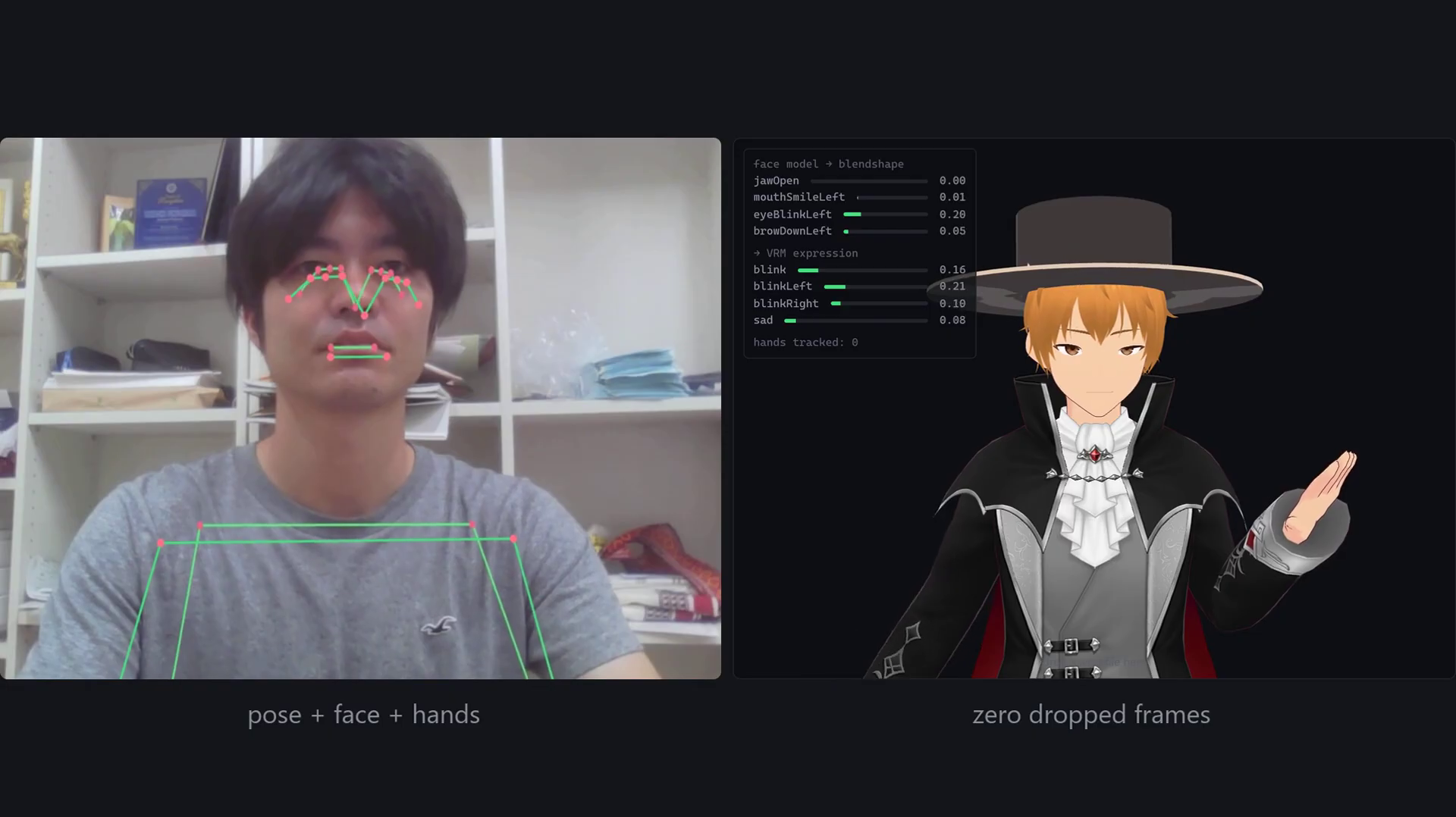
The last piece. Parts 1–3 gave the avatar a body that moves with mine — but it was a mannequin: no fingers, a blank face, and smoothing I called “deliberately simple.” Part 4 adds the face and the hands, and the smoothing that makes all of it watchable. Three MediaPipe models (pose, face, hands) now drive one VRM in a single render loop. The code is in filter.ts, expression.ts and hands.ts on GitHub.
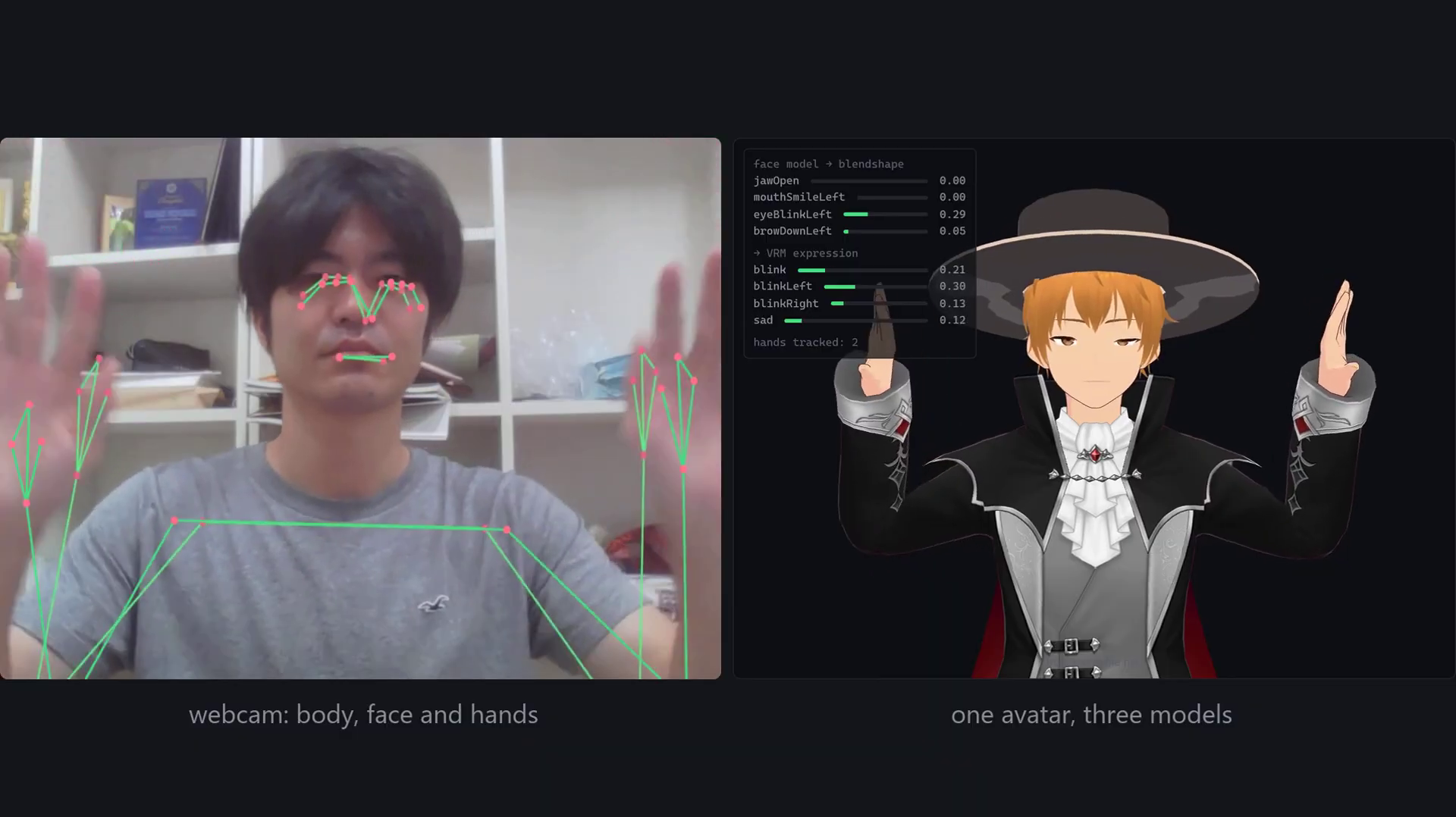
Table of Contents
The jitter trap — and the One Euro fix
Raw landmarks shake frame to frame, and the obvious fix — a plain low-pass filter — is a trap. Filter hard enough to kill the jitter and the avatar lags behind you; filter gently and it still trembles. You can’t win that trade with one setting, because the two problems live at different speeds. The One Euro filter (Casiez, Roussel & Vogel, CHI 2012) changes the setting instead: it watches how fast the value is moving and raises its own cutoff to match. Hold still and it filters hard, so a resting hand stops shaking; move fast and it gets out of the way, so nothing lags.
The One Euro filter, in code
It’s about 40 lines and two constants. The cutoff is minCutoff + beta·|speed|, and the speed estimate is itself low-passed so a single noisy sample can’t fling the gate open.
export class OneEuroFilter {
  constructor(
    private minCutoff = 1.2,  // cutoff at rest — lower is steadier, laggier
    private beta = 0.02,      // how much speed raises the cutoff
    private dCutoff = 1.0     // cutoff for the speed estimate itself
  ) {}

  private static alpha(cutoff: number, dt: number): number {
    const tau = 1 / (2 * Math.PI * cutoff);
    return 1 / (1 + tau / dt);
  }

  filter(value: number, dt: number): number {
    if (!this.started) { this.started = true; this.previous = value; return value; }
    // Speed, itself low-passed so one noisy sample cannot open the gate.
    const rawDerivative = (value - this.previous) / dt;
    this.derivative += OneEuroFilter.alpha(this.dCutoff, dt) * (rawDerivative - this.derivative);
    // Cutoff rises with speed: still when slow, open when fast.
    const cutoff = this.minCutoff + this.beta * Math.abs(this.derivative);
    this.previous += OneEuroFilter.alpha(cutoff, dt) * (value - this.previous);
    return this.previous;
  }
}
Filter at the source, not the bones
Where you filter matters more than which filter. In Part 3 the smoothing sat on the bone rotations, at the end of the pipeline. This time it happens to the landmarks, at the start — three filters per landmark (x, y, z). Jitter is a property of the measurement, so cleaning it at the source means every angle we derive afterwards inherits the fix, and the retargeting stays a pure function of the numbers handed to it.
// One filter per axis, per landmark — smooth the stream before retargeting.
export class LandmarkFilter {
  apply<T extends Point3>(points: T[], dt: number): T[] {
    for (let i = 0; i < points.length; i++) {
      const f = this.axes[i] ??= [this.make(), this.make(), this.make()];
      const p = points[i];
      p.x = f[0].filter(p.x, dt);
      p.y = f[1].filter(p.y, dt);
      p.z = f[2].filter(p.z, dt);
    }
    return points;
  }
}
Face → VRM expressions
The pose model gives four coarse points for the whole head. The face model is a second model running beside it, and it’s worth the cost: it returns 52 ARKit-style blendshapes — jaw open, each eye blinking, each mouth corner, brows — all separately. VRM defines its own smaller set of named expressions, so the two vocabularies have to be bridged: jawOpen drives the “aa” mouth shape, both mouth corners average into happy, brows-down becomes angry.
// MediaPipe's 52 ARKit blendshapes → VRM's own expression channels.
// gain compensates for scores that rarely hit 1.0; floor rebases a resting face.
const MAPPING = [
  { vrm: "blink", from: ["eyeBlinkLeft", "eyeBlinkRight"], gain: 1.15, floor: 0.4 },
  { vrm: "aa",    from: ["jawOpen"],                       gain: 1.4,  floor: 0.08 },
  { vrm: "happy", from: ["mouthSmileLeft", "mouthSmileRight"], gain: 1.6, floor: 0.12 },
  { vrm: "angry", from: ["browDownLeft", "browDownRight"], gain: 1.2,  floor: 0.15 },
  // …sad, surprised, and the vowel shapes for lip sync
];
And one detail that will bite you: smiling lifts your cheeks, which pushes the eye-blink scores up — so a grinning avatar blinks non-stop. Subtract the cheek-squint from the blink and it stops. (There’s a matching quirk to the blinks themselves: because the avatar is a mirror, the left/right eyes are swapped, exactly like the arms in Part 3.)
Hands — bend, not splay
Hands are a third model, 21 points each. For the four fingers we take only the bend — the angle between the two segments meeting at each joint — applied around the bone’s own curl axis. We deliberately throw away the sideways splay: it’s far noisier than the bend, and almost invisible on a stylized hand. A resting hand isn’t perfectly straight either, so a small rest-angle is subtracted per joint (largest for the thumb, whose first joint reads ~0.5 rad even fully extended) to stop the avatar holding a permanent half-curl.
// Four joints per finger; keep the bend, drop the noisier splay.
const bends = [
  angleBetween(lm[WRIST], lm[p1], lm[p2]),
  angleBetween(lm[p1],    lm[p2], lm[p3]),
  angleBetween(lm[p2],    lm[p3], lm[p4]),
];
for (let i = 0; i < 3; i++) {
  const rest = isThumb ? REST_BEND.thumb[i] : REST_BEND.finger;
  const curl = Math.min(MAX_CURL, Math.max(0, bends[i] - rest)) * scale;
  this.drive(bone, curl, dt);   // rotate about the bone's curl axis
}
Three models, one render loop
So: three neural networks, on every webcam frame, in a browser tab — the honest cost of this episode. They share one video frame and one render loop, the light model variants are small, and it still holds 30 fps on a laptop. But this is the point where you start watching the frame budget rather than assuming it. Pose, face and hands run together with zero dropped frames.
Frequently asked questions
What is the One Euro filter and why use it for tracking?
It’s a speed-adaptive low-pass filter (Casiez, Roussel & Vogel, CHI 2012). Instead of one fixed cutoff, it raises the cutoff as the signal speeds up — filtering hard when a value is nearly still and opening up during fast motion. That escapes the usual lag-versus-jitter trade with just two tuning constants, which is why it’s the standard answer for noisy interactive signals.
Should I smooth the landmarks or the final bone rotations?
Prefer the landmarks, at the source. Jitter is a property of the measurement, so cleaning it before retargeting means every angle derived downstream inherits the clean signal, and the retargeting stays a pure function of its inputs. Smoothing only the final rotations leaves the noise in every intermediate calculation.
Can you run pose, face and hands together in a browser?
Yes — three MediaPipe models on the same webcam frame, in one render loop, held 30 fps on a laptop here with zero dropped frames. The light model variants make it feasible, but three networks per frame is where you start budgeting frame time deliberately rather than assuming headroom.
That’s the series
A webcam, a browser tab, and an avatar that moves, looks and gestures like you — no suit, no depth camera, nothing leaving your machine. The full code is on GitHub, tagged episode by episode (Part 4 is v4-face-hands). New here? The series runs Part 1: browser motion capture → Part 2: loading a VRM avatar → Part 3: retargeting → this finale.
Takashi Fukushima — Sports Science & Pose Estimation.
▶ Subscribe on YouTube · GitHub · Website · Contact