In the MATLAB analysis walkthrough I computed joint angles with a one-liner: atan2d(det(v1, v2), dot(v1, v2)). That worked, but why does it give the angle between two limb segments? This post is the math behind that line — and why the two-argument atan2 is the right tool.
Table of Contents
The setup: two vectors from the joint
Take a knee angle. From the knee, draw two vectors: one to the ankle (the shank) and one to the hip (the thigh). The joint angle is simply the angle θ between those two vectors.
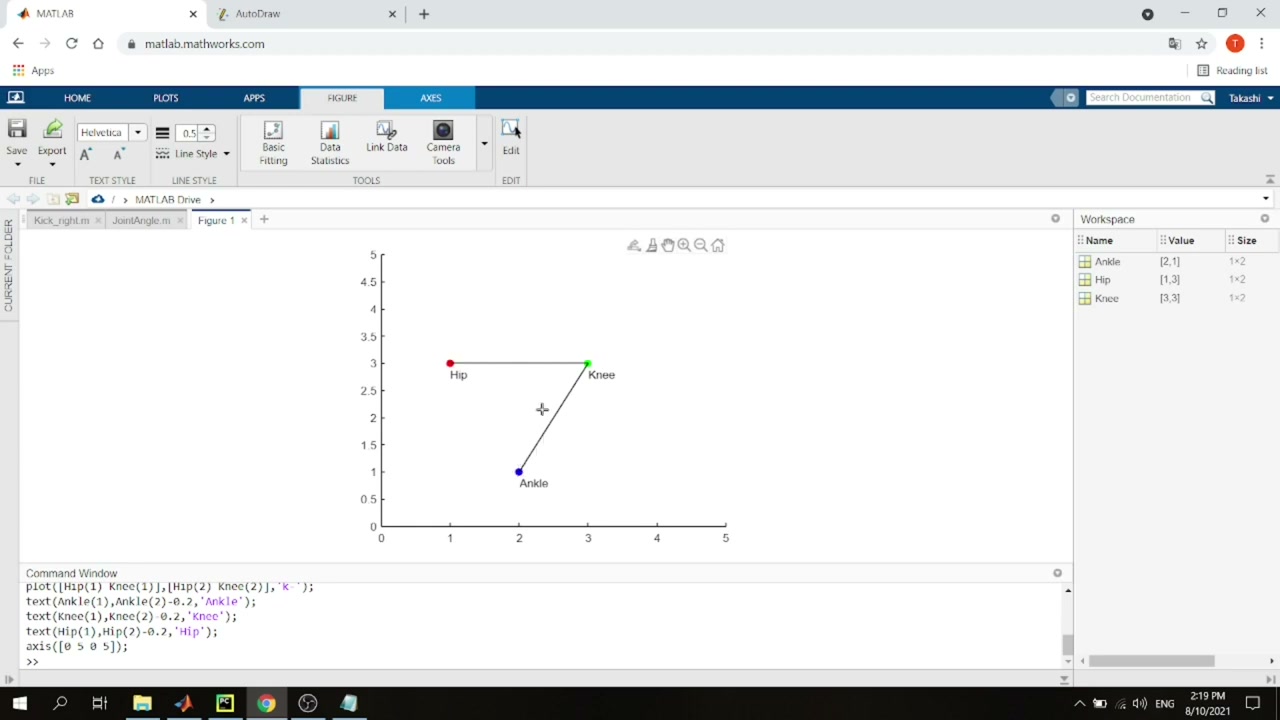
The determinant = the cross-product magnitude = an area
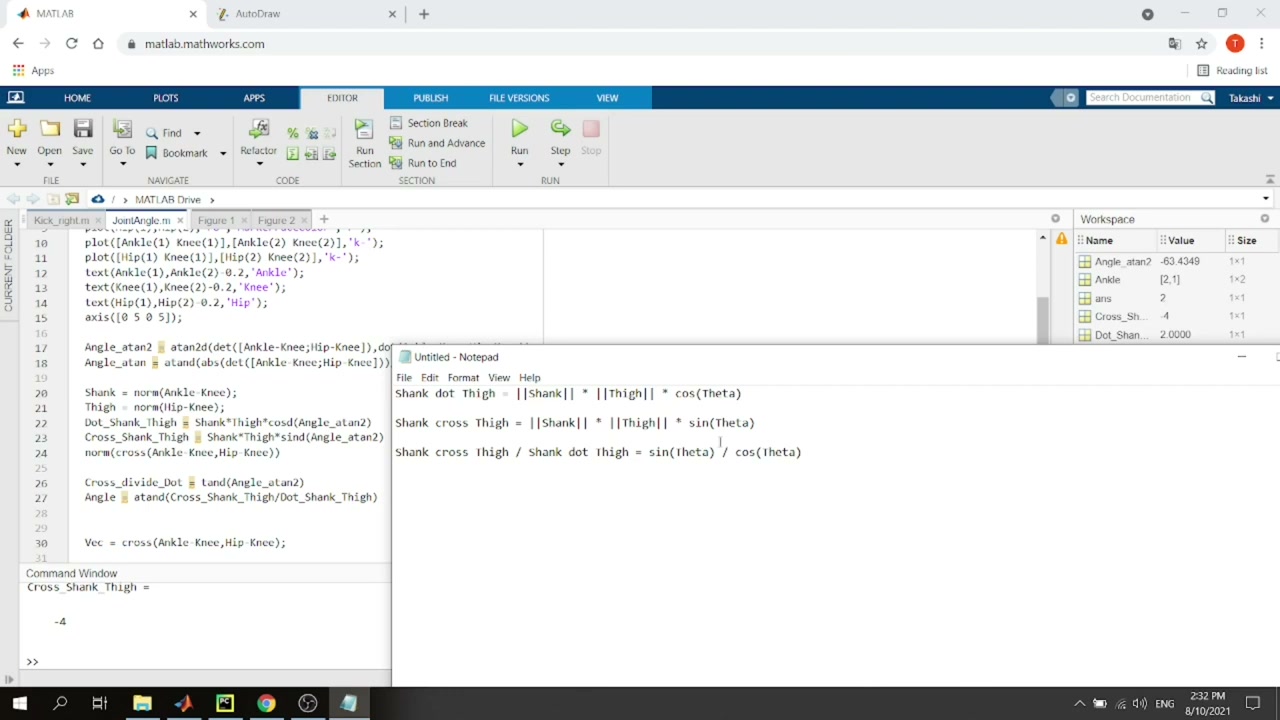
For two 2D vectors, the determinant equals the area of the parallelogram they span — which is exactly the magnitude of their cross product. And the cross-product magnitude is |v1|·|v2|·sin(θ).
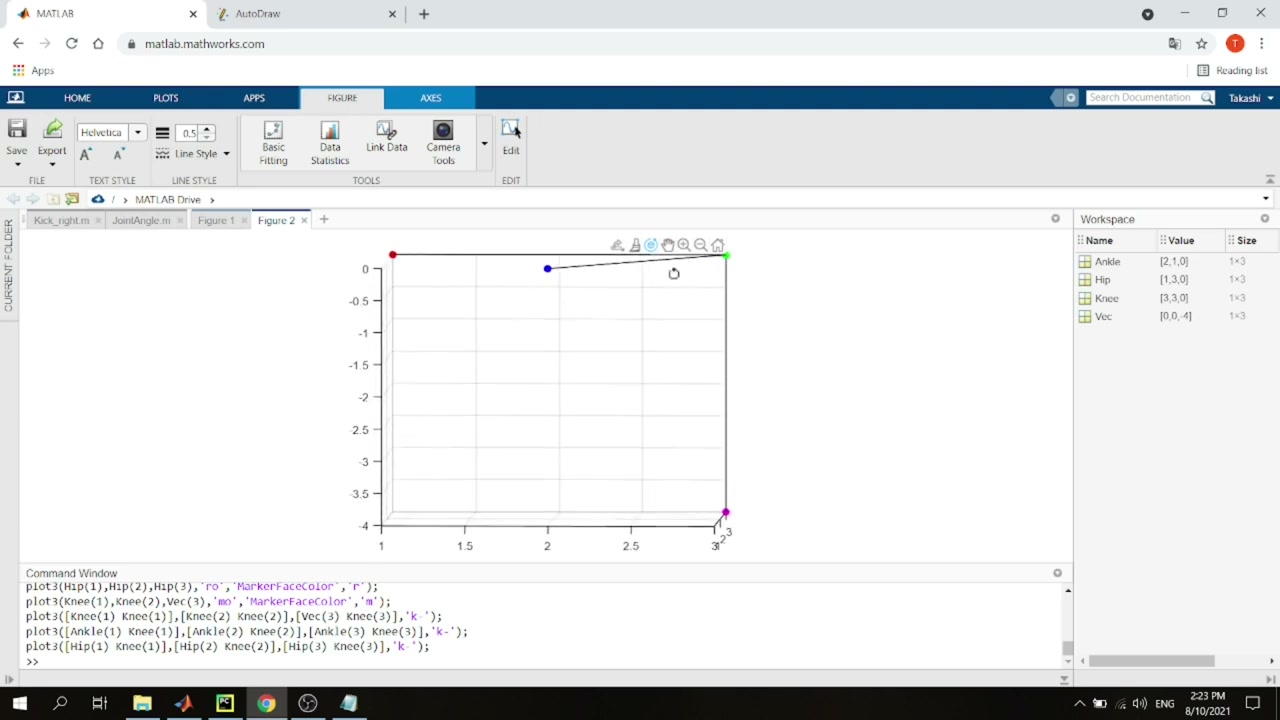
Why use det instead of a cross-product function? Because MATLAB’s cross needs 3D vectors (X, Y, Z), and our pose data is 2D. The determinant of the two 2D vectors gives the identical value without padding a Z. In the demo it comes out to 4 — the same as the cross-product magnitude.
The dot product = a projection
The dot product of the same two vectors is |v1|·|v2|·cos(θ) — geometrically, one vector projected onto the other. In the demo it comes out to 2.
Putting it together: tan(θ)
Now divide the cross by the dot:
- cross =
|v1|·|v2|·sin(θ) - dot =
|v1|·|v2|·cos(θ) - cross / dot =
sin(θ) / cos(θ) = tan(θ)
The magnitudes cancel, leaving tan(θ). So θ = atan2(det, dot). In the demo, cross = 4 and dot = 2, and the formula returns −63.4° — exactly the angle measured directly.
Why atan2, not plain atan?
The ordinary one-argument atan takes only the ratio, so it throws away the sign information: (−, +) and (+, −) both look negative, and (+, +) and (−, −) both look positive. It can’t tell which quadrant you’re in, and it breaks for angles beyond 90°. For example, a hip angle that is really 153° comes back from atan2d correctly as 153°, but plain atan returns 26° — you’d have to patch it with an if statement (180° − angle).
The two-argument atan2(numerator, denominator) keeps the numerator and denominator separate, so it resolves the full range and preserves sign. For biomechanics that sign is meaningful: at the hip, a back swing comes out negative and a forward swing positive, so you can tell them apart directly from the angle’s sign.
Extending to 3D, and a common gotcha
The same idea extends to 3D. There the determinant shortcut no longer applies, but the cross product still does: replace det with the magnitude of the 3D cross product, so θ = atan2(norm(cross(v1, v2)), dot(v1, v2)). That form stays numerically stable across the whole range, whereas the textbook acos(dot / (|v1|·|v2|)) loses precision near 0° and 180° — exactly where a lot of joint angles sit at the extremes of a movement.
One common gotcha is argument order. MATLAB’s atan2(Y, X) expects the sine-like term first and the cosine-like term second — which is why the call is atan2d(det, dot) and not atan2d(dot, det). Swap them and every angle comes back as its complement (90° − θ). When in doubt, test with a known right angle: for a clean 90°, the dot product is zero and the determinant dominates, so the result should read exactly 90°.
Takeaway
That single line, atan2d(det, dot), is doing something clean and robust: it reads the sine of the angle from the determinant, the cosine from the dot product, and combines them in a way that keeps the sign and the full 0–180° (and beyond) range. That’s why it’s the reliable way to compute 2D joint angles — ready to drop into the analysis pipeline.
About the author
Takashi Fukushima — research & development across Sports & Exercise Science, Human Pose Estimation, Computer Vision, and XR.
- YouTube (subscribe): Takashi Fukushima|Sports Science & Pose Estimation
- Research (ORCID): orcid.org/0000-0002-7318-3384
- Website: takashifukushima.com
- Contact: Get in touch